Upload audio or video
MP3, WAV, M4A, AAC, FLAC, WEBM, MP4, and MOV are accepted up to the plan limit.
Upload piano audio and review Sheet Music, right-hand Jianpu, falling Piano Roll, MIDI and MusicXML drafts.
Or drag and drop here
MP3, WAV, M4A, MP4, MOV
1. Upload
Add a piano recording or use link input below.
2. Worker verifies
The worker transcribes and verifies artifacts.
3. Review
Inspect Sheet Music, Numbered Notation, and Piano Roll.
4. Export
Download MIDI, MusicXML, PDF and more.
The public upload flow uses the same production job model as the workspace: private storage upload, queued worker processing, and result pages after verified artifacts are ready.
MP3, WAV, M4A, AAC, FLAC, WEBM, MP4, and MOV are accepted up to the plan limit.
YouTube, Instagram, and TikTok links are normalized and checked again by the worker before transcription.
Capture a short idea, confirm the source rights, and send it through the same private upload path.
Real demo outputs
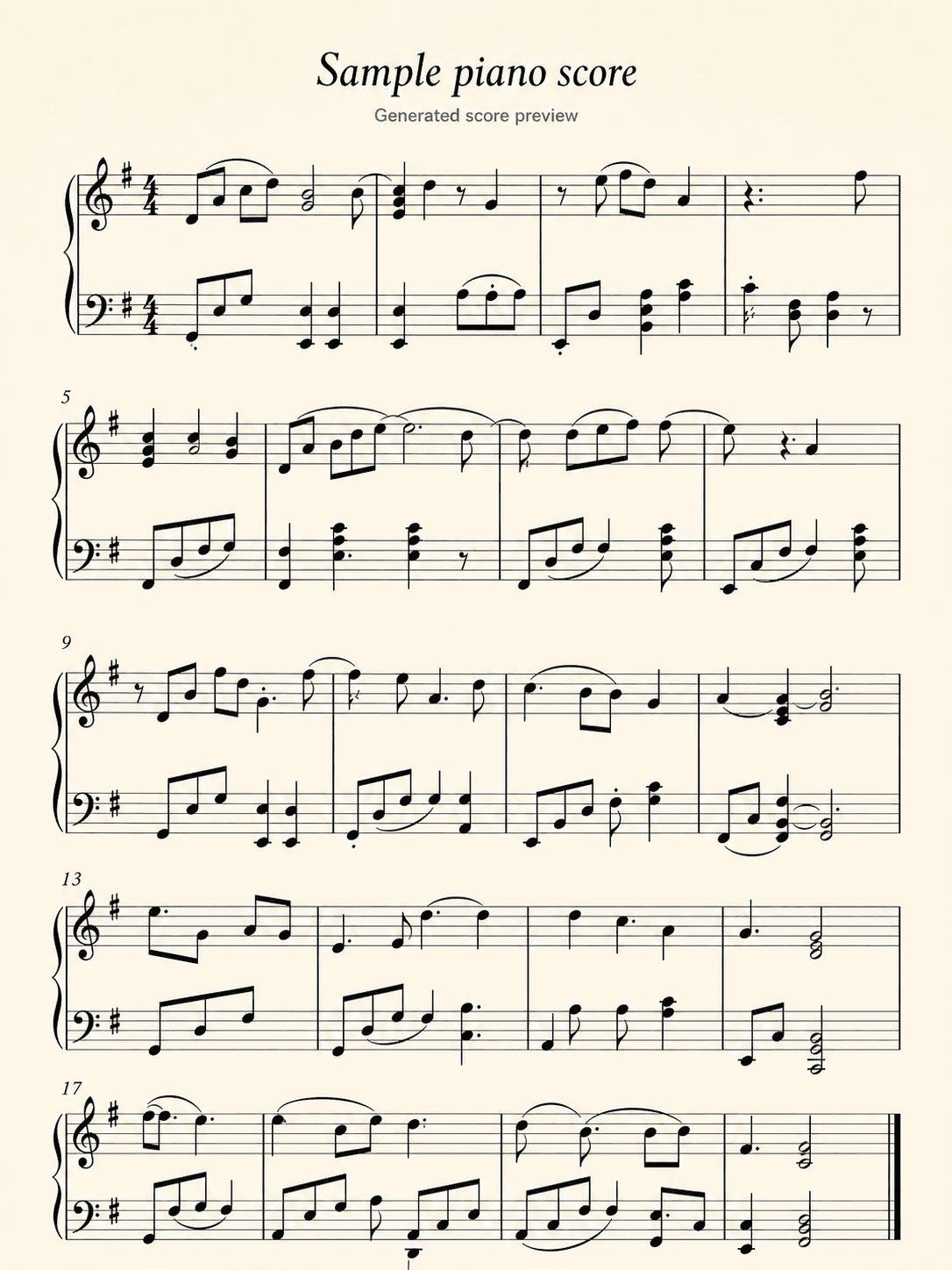
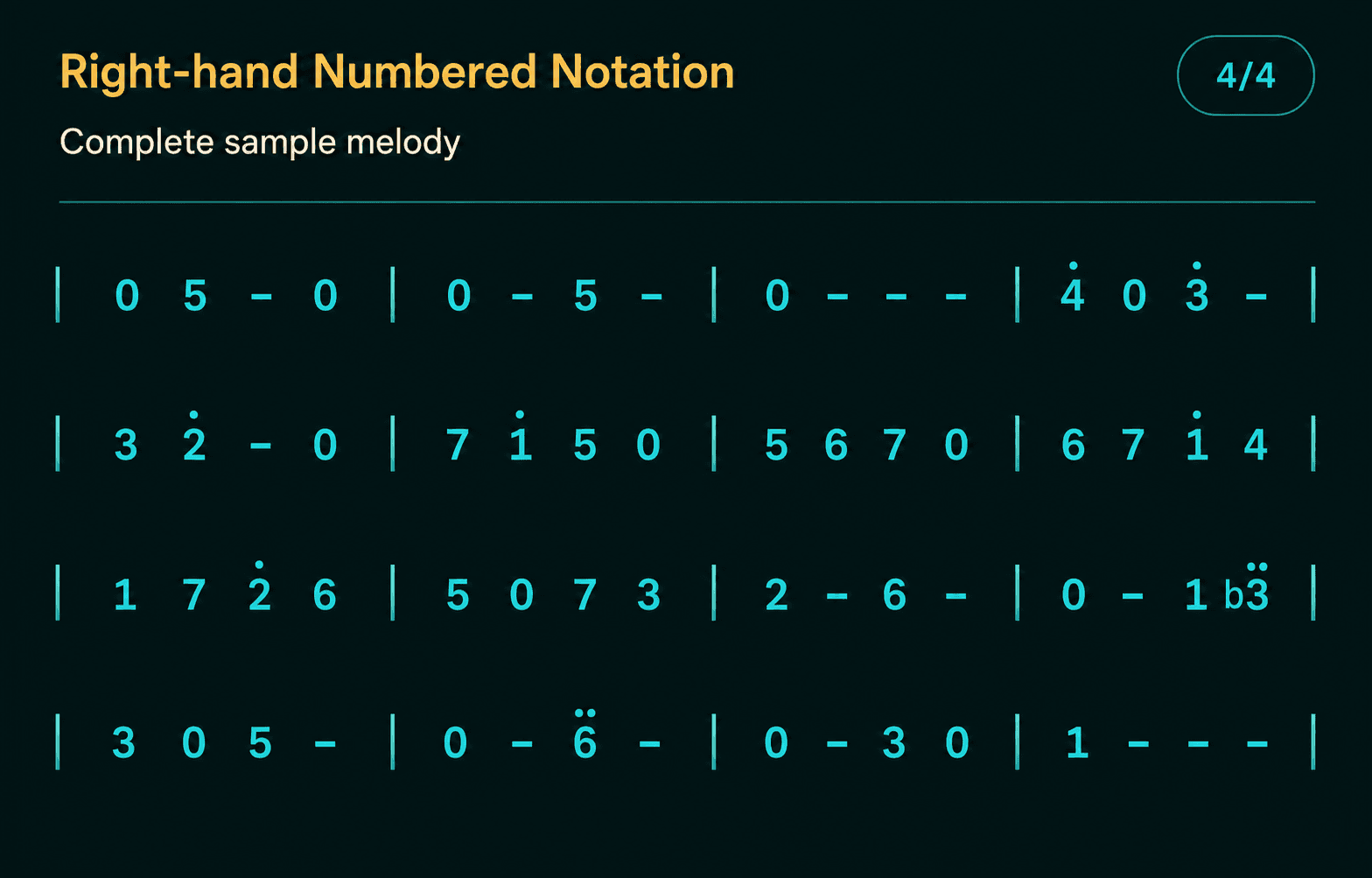
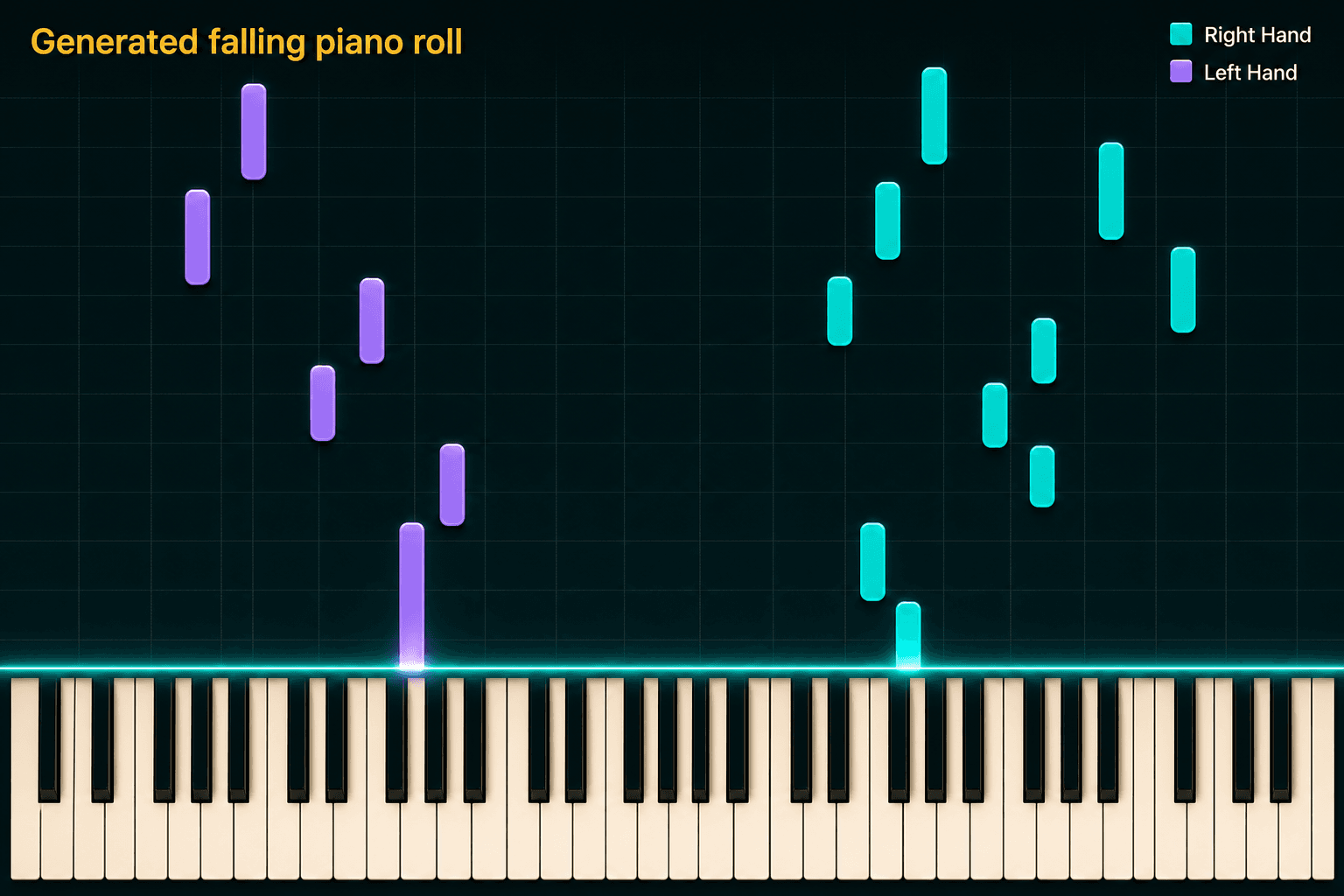
The same sample is split into three focused result views: Sheet Music, Numbered Notation, and Piano Roll.
The first output uses the same front-facing Sheet Music PNG so the notation itself is the product proof. Full OSMD rendering, playback, and signed downloads stay on completed result pages.
The second output uses the right-hand Numbered Notation PNG for quick melody, meter, and phrase checks.
The third output uses the front-facing Piano Roll PNG: notes fall from top to bottom toward the keyboard, with teal right-hand notes and violet left-hand notes.
The full result page adds OSMD rendering, playback, signed downloads, and entitlement checks after a real worker job completes.
How it works
01
Choose a file, record audio, or paste a supported public music link.
02
The Python worker converts audio to raw MIDI, then rebuilds readable piano notation.
03
Open sheet music, right-hand Numbered Notation, piano roll, playback, and available downloads.
Song2Notation focuses on a useful score draft: readable enough for practice, structured enough to edit, and honest about where final engraving still matters.
Production notation uses a readable normalizer after raw transcription so practice material is cleaner than raw MIDI dumps.
Numbered notation is generated from the right-hand melody so the melody line stays readable.
The same score data powers a visual piano roll and synchronized playback on completed result pages.
Paid plans unlock PDF, MIDI, MusicXML, Numbered Notation, and Piano Roll access according to the plan.
Launch fit
Turn student recordings into draft notation for feedback, practice notes, and lesson follow-up.
Convert short phrases into sheet music and Numbered Notation for slower review and repeated practice.
Capture a melody idea, export MusicXML or MIDI, then refine it in your notation or DAW workflow.
Use Song2Notation when you need structured notation outputs rather than only an audio summary.
Honest boundaries
The result is meant for review, learning, arranging, and cleanup. Publication-level engraving still needs human editing.
The strongest path is piano and melody material. Dense mixes, vocals, drums, and noisy recordings may need cleaner input.
Supported public links are imported as audio before transcription; restricted content can fail at import.
The start flow asks users to confirm they own or have permission to transcribe the source.
Pricing
Free previews the first 30 seconds. Pianist and Composer unlock longer files, monthly transcription minutes, and full export access.
$0
forever
Preview-only transcription for trying the piano workflow before upgrading.
$12
per month
Full piano transcription for students, hobby pianists, and everyday practice.
$29
per month
Higher quota, longer files, and priority processing for serious project work.
FAQ
Yes for supported public single-video links. Song2Notation imports audio first; restricted content can fail at import.
Paid plans unlock PDF, MIDI, MusicXML, Numbered Notation, and Piano Roll access. Free is a preview tier.
No. It is a structured draft intended for practice, teaching, and editing.